

Every term, parents ask the same question: what do I type as the account number? The child’s name? The admission number? Both? Get it wrong and the money reaches the school but not your child’s fee statement.
This guide has two halves. The first is for parents: how to pay school fees by M-PESA Paybill and what goes in the account number box. The second is for bursars and head teachers: how to set up account numbers so payments land on the right learner without a phone call.
For parents: how to pay school fees by M-PESA Paybill
Safaricom’s Lipa Karo guide gives the steps:
- Open M-PESA and choose Lipa na M-PESA, then Pay Bill.
- Enter the school’s business number (Paybill).
- Enter the account number the school has given you. Safaricom notes this may be the learner’s name or registration number, depending on the school.
- Enter the amount and your M-PESA PIN.
- Check the name on the confirmation screen, then send. You and the school both get an SMS.
Don’t know the Paybill? Use the one on the official fee structure, ask the bursar, or dial *234# and search by school name, as Safaricom suggests. Schools such as Nairobi School warn parents never to pay into unofficial numbers or private accounts; a Paybill sent from an unknown phone is a red flag.
What to type as the account number
It depends on whose Paybill your school uses. These are the most common set-ups:
| Set-up | Business number | Account number format |
|---|---|---|
| The school’s own Paybill | The school’s number | Usually the admission number, exactly as the school prints it (for example 4521) |
| KCB, Paybill 522123 | 522123 | School code, a capital K, then the admission number, no spaces: 12345K24810 (KCB) |
| KCB, Lipa na KCB Till, Paybill 522533 | 522533 | The school’s till number, #, then the learner’s name and admission number: 12345#John24810 (KCB) |
| Equity, Paybill 247247 | 247247, or the school’s own Equity Paybill | The school’s collection account plus the learner reference the school specifies, usually the admission number (PaybillKE) |
The numbers in the examples are placeholders. Always use the exact business number and format on your school’s fee structure, and confirm with the bursar if in doubt.
Three habits save most of the trouble:
- One payment per child. A payment carries one account number, so two children in one payment needs a phone call to split.
- No extra words. Don’t add “fees”, “term 3” or a space unless the school asks for it.
- Keep the confirmation SMS. The M-PESA code is your proof if anything goes wrong.
For bursars: set up account numbers that match themselves
Most “missing” payments are not missing. They are sitting on the Paybill statement with an account number nobody can match: a name spelt three ways, an admission number with a space, two children in one payment. A few rules cut that down sharply:
| Rule | Why |
|---|---|
| Use the admission number as the account, not the learner’s name | Names get misspelt and shared; admission numbers are unique |
| Make sure no two learners share an admission number | Duplicates send money to the wrong child (the same rule KEMIS enforces) |
| Print one worked example on the fee structure | “Paybill 123456, Account 4521 (your child’s admission number)” beats a paragraph of instructions |
| Say what to do for siblings | “Send a separate payment for each child” |
| Use the same format every term | Parents save the Paybill in their phones; changing the format breaks it |
| Check unmatched payments daily, not at month end | A parent who paid on Monday shouldn’t be chased on Friday |
A message you can send parents at the start of term:
“Dear parent, please pay Term 1 fees to Paybill [number]. Use your child’s admission number as the account number, for example 4521. Send a separate payment for each child. Keep your M-PESA message. Thank you.”
When a parent types the wrong account number
The money is not lost: it is in the school’s Paybill, just not on a learner’s statement. Ask the parent for the M-PESA confirmation code, find the payment on the statement, and post it to the right learner. Then reply to the parent so they know it is sorted. Done by hand, that is a search through hundreds of lines. In a fee system it should be a short list.
How Elimu SMS handles Paybill fees
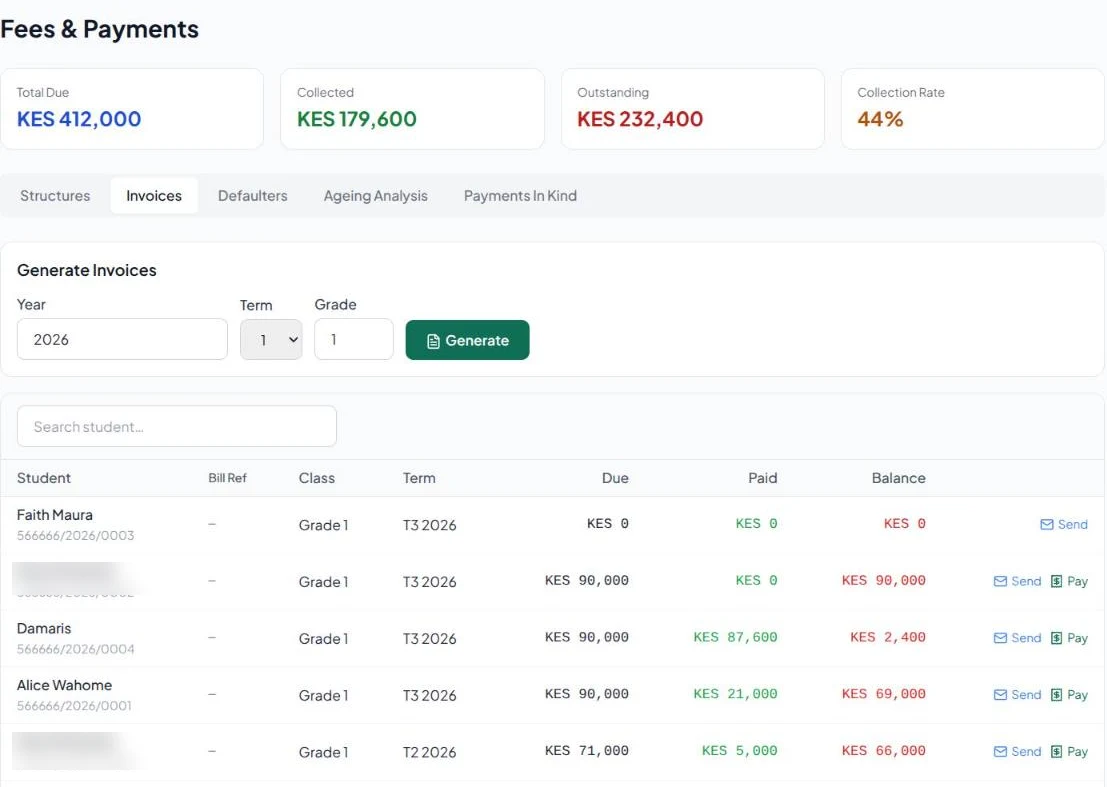
In Elimu SMS, parents pay your existing Paybill or Till using the invoice number (or the admission number) as the account. Each payment is matched to the learner as it arrives: the receipt goes out and the balance updates on its own. A payment with a wrong or unknown account number goes to the Incoming Payments inbox, and the bursar assigns it with one click. Parents can also pay by STK Push, where the M-PESA prompt arrives on their phone with the account already filled in.
Pricing is KES 100 per learner per term with a one-time KES 70,000 setup, and the first term is free. See full pricing, or read how STK Push cuts fee arrears.
Fees that reconcile themselves
Book a free demo and we will show you a Paybill payment matching to a learner, a wrong account number being fixed in one click, and a parent’s fee statement updating.
Paying school fees by M-PESA: questions parents and bursars ask
How do I pay school fees by M-PESA Paybill?
Open M-PESA, choose Lipa na M-PESA, then Pay Bill. Enter the school’s business number, then the account number the school gives you (usually your child’s admission number), the amount and your PIN. Check the name on the confirmation screen before you send.
What do I enter as the account number when paying school fees?
Exactly what is printed on your school’s fee structure. For a school’s own Paybill this is usually the admission number. Bank Paybills use longer formats; for example, KCB’s guide shows the school’s code, then K, then the admission number (12345K24810) on Paybill 522123.
Can I pay for two children in one M-PESA payment?
It is safer to send a separate payment for each child, each with that child’s own account number. One payment can only carry one account number, so the school cannot tell how to split it without calling you.
I typed the wrong account number. Is my money lost?
No. The money still reaches the school’s Paybill, but it may not be credited to your child. Send the M-PESA confirmation message to the bursar so they can assign it to the right learner.
How do I find my school’s Paybill number?
Use the number on the official fee structure or ask the bursar. Safaricom also lets you search registered schools by dialling *234# and entering the school name. Never pay into a number sent from an unknown phone.
Sources
- Safaricom, Lipa Karo: frequently asked questions
- KCB, How to pay school fees (Lipa Karo)
- PaybillKE, How to pay school fees to an Equity Bank account, 12 September 2026
- Nairobi School, Fees help