Parents pay by Paybill, Till or an STK Push prompt. Elimu SMS matches each payment by invoice number or admission number, sends the receipt and updates the fee statement before the bursar has finished her tea. Bank transfers and Pesalink work the same way.
KES 100 per learner per term · first term free · part of Elimu SMS
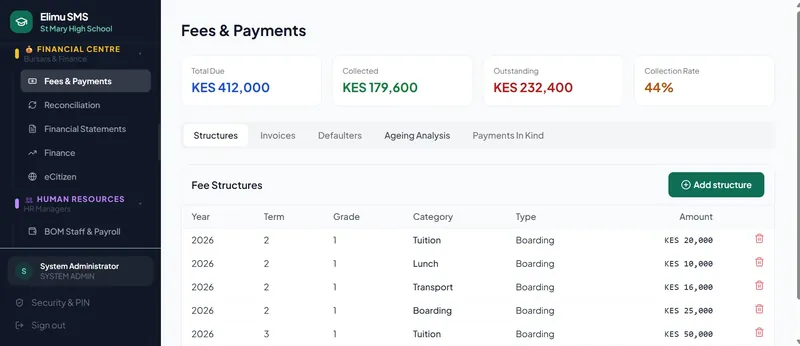
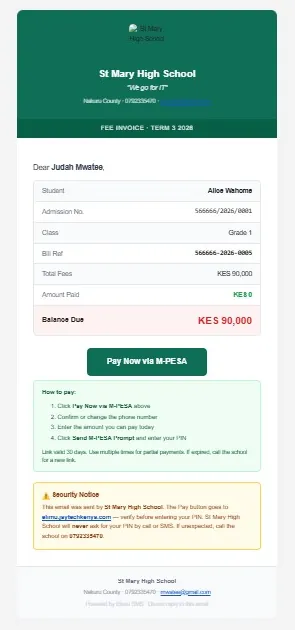
Half the parents haven’t paid and the bursar is matching M-PESA messages by hand. Watch how Elimu SMS fixes it.
Principal texts me: half the parents haven't paid fees! And the bursar is matching M-PESA messages by hand. All week. So I set up Elimu SMS. One tap on Pay sends an M-PESA prompt straight to the parent's phone. Or we send a payment link by SMS or email. Parents pay what they can. Paybill too. Every shilling lands on the right student, with a receipt. Now the principal thinks I'm a genius. Elimu SMS: school fees on M-PESA, sorted. KES 100 per student per term, first term free.
Animated video with a computer-generated voice. The screens are real Elimu SMS screens with demo data.
Book a free demoIn most Kenyan schools, fees arrive by M-PESA but the records still live in exercise books and spreadsheets. The bursar scrolls through the Paybill statement, works out which child each payment belongs to, writes a receipt and updates the balance by hand. On a busy opening week that is hundreds of transactions, and one wrong admission number means a parent is chased for fees they have already paid.
Elimu SMS is a school fees management system built around how Kenyan parents actually pay. It connects to your school’s own Paybill or Till through Safaricom’s Daraja API, so each payment arrives with the account number the parent typed. If that matches an invoice number or an admission number, the money is posted to the learner’s account, a receipt goes out and the balance updates on its own. If it doesn’t, the payment waits in an unallocated payments list for the bursar to assign with one click.
Because invoices are generated from the fee structure at the start of each term, the balance a parent sees is always the same one the bursar sees. That is what makes fee arrears visible early, and what lets you send reminders that list exactly what each family owes.
Fee structures are set once per class and term. Invoices, receipts, statements and the general ledger follow automatically.
Book a free demoSend a payment prompt straight to a parent’s phone for the exact balance. They enter their M-PESA PIN and the payment posts itself.
Parents pay your existing Paybill or Till using the invoice number as the account (the admission number also works). Elimu receives the confirmation and matches it automatically.
Parents who pay by bank transfer or Pesalink use the same invoice number as the reference. Upload the bank statement and those payments post themselves; uploading the same file twice never counts a payment twice, or connect an optional signed bank feed so they arrive on their own. Anything that does not quote an invoice number waits in Incoming Payments for the bursar.
Parents sign in with their phone number and a one-time code to see each child’s balance and the exact paybill, bank and invoice number to pay with.
Every payment sends the parent an SMS receipt with the M-PESA reference, and the learner’s fee statement updates in real time. Print a full statement any day, or let parents see it in the parent portal.
See who owes what, for how long, by class and by stream. Ageing analysis shows which balances are 30, 60 or 90 days old.
Each family gets one reminder listing what every child owes, with the paybill and the invoice number to pay against. Schedule them for the 1st and 15th of the month, or send on demand.
Not every payment is M-PESA. Record cash, bank deposits, cheques and payments in kind such as maize or beans, all in the same ledger.
Here is what happens when a parent pays term two fees for a learner with admission number 4521 using the school Paybill.
| Step | What happens | Who sees it |
|---|---|---|
| 1. Parent pays | Pays KES 18,000 to the school Paybill with account number 4521 | Parent |
| 2. Safaricom confirms | Daraja sends the confirmation, amount and M-PESA reference to Elimu SMS | System |
| 3. Payment matched | 4521 matches the learner, so the payment posts to her term two invoice | Bursar dashboard |
| 4. Receipt sent | An SMS receipt with the M-PESA reference goes to the parent | Parent |
| 5. Books updated | The ledger, bank balance and collection rate update; the balance drops to KES 7,000 | Accountant, principal |
| 6. No match? | If the account number is wrong, the payment waits in unallocated payments for the bursar to assign | Bursar |
Example figures for illustration. If the network drops, the confirmation is queued and retried, so payments are not lost.
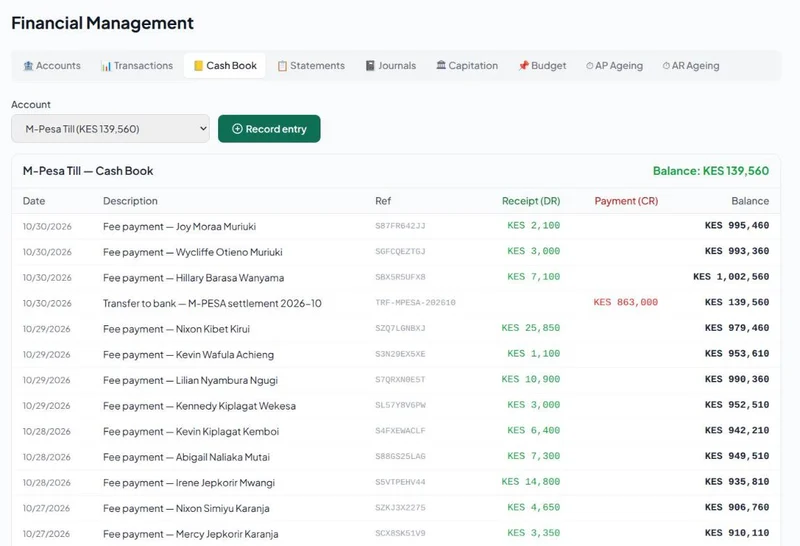
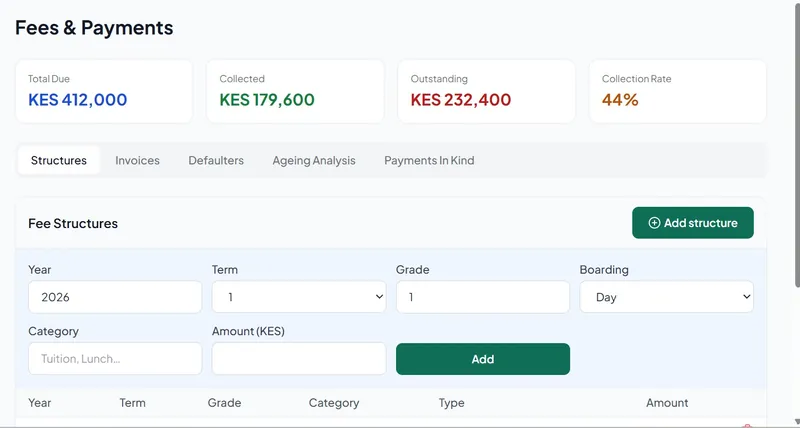
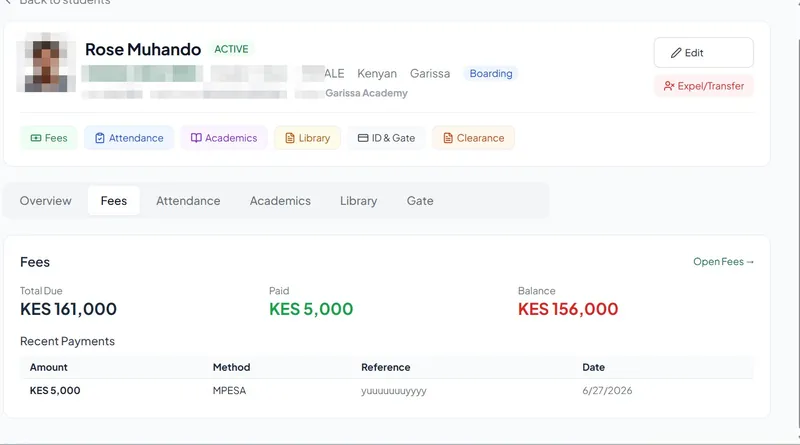
Demo school data. See all screens
| What to check | Typical system | Elimu SMS |
|---|---|---|
| Reconciliation | Upload the M-PESA statement and match by hand | Each payment matched by invoice or admission number as it arrives |
| STK Push | Often missing or an extra charge | Built in, for the exact balance |
| Unmatched payments | Lost in a spreadsheet | Held in unallocated payments until assigned |
| Receipts | Printed manually | Sent by SMS instantly |
| Accounting | Separate system | Posts to the school’s own double-entry ledger |
| Your data | Stored on a vendor’s cloud | Installed on your school’s own server |
Yes. Elimu SMS connects to the Paybill or Till your school already has through Safaricom’s Daraja API. Parents keep paying the number they know.
The payment is not lost. It goes to the Incoming Payments inbox, and the bursar assigns it to the right learner with one click. The receipt then goes out as normal.
Yes. The bursar can send an STK Push for the exact balance owed. The parent enters their PIN and the payment posts automatically.
Yes. Cash, bank, cheque and in-kind payments are recorded in the same ledger as M-PESA, so balances are always complete.
It is part of Elimu SMS: KES 100 per learner per term with all modules included, and the first term is free. Safaricom’s normal Paybill charges still apply.
Yes. Every payment sends the parent an SMS receipt with the M-PESA reference, and their fee statement updates at the same time.
Book a free demo and we’ll set up your fee structure and Paybill in the demo school so you can see a payment post itself.